The short answer
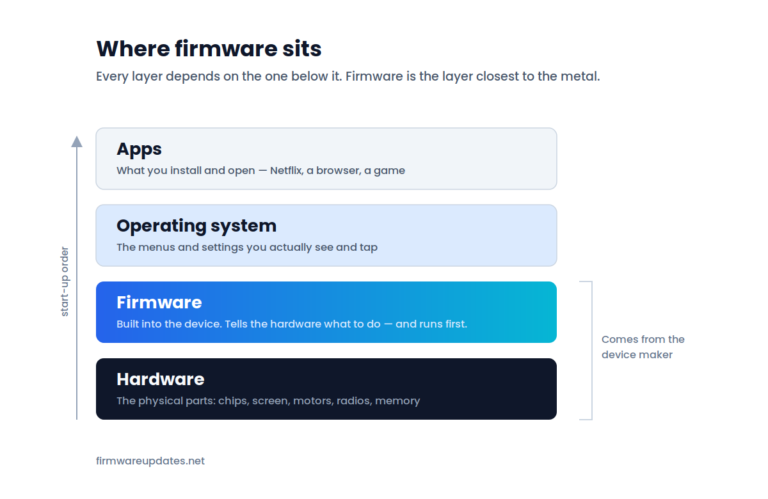
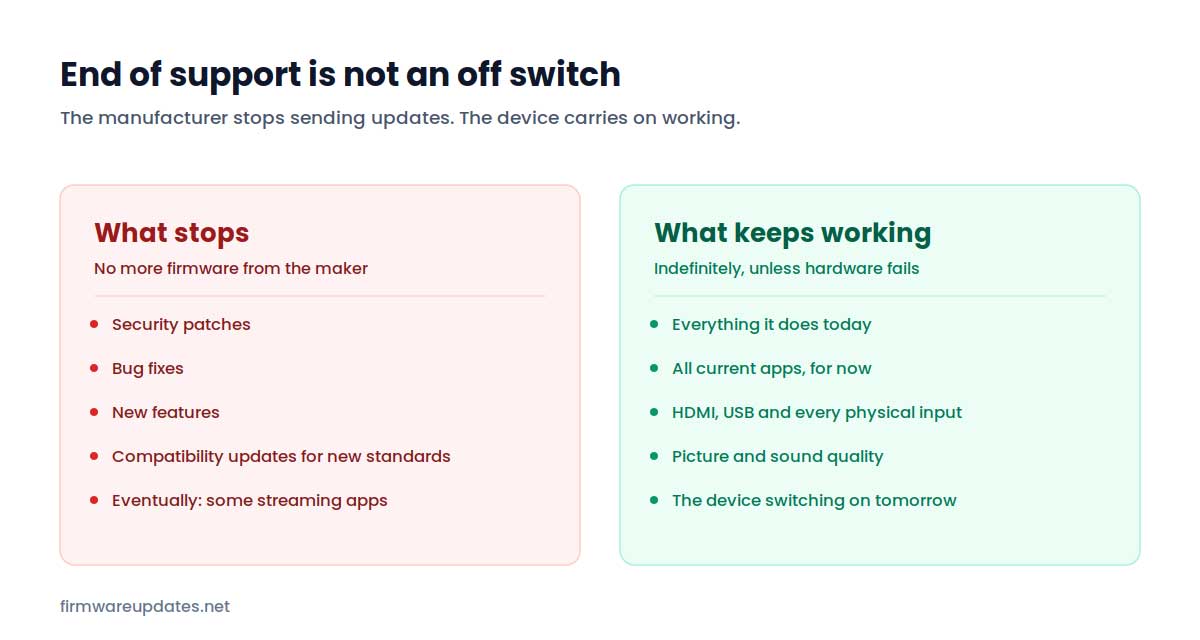
End of support means the manufacturer has stopped writing firmware for your device. Nothing switches off, nothing expires, and the device keeps doing everything it did yesterday. What you lose is the future: no more security patches, no more bug fixes, and eventually apps that move on without you.
“End of support”, “end of life” and “no longer supported” all mean the same thing in practice, and all of them sound more dramatic than they are. Here is what actually changes, how to find out where your device stands, and what to do about it — including the option most articles skip, which is doing nothing much at all.
What actually stops
Only one thing: the flow of new firmware. That has four consequences, and they arrive at very different speeds.
Security patches stop immediately. This is the one that matters, and it matters far more for some devices than others. A router or a camera that is reachable from the internet and no longer patched is a genuine risk. A soundbar is not.
Bug fixes stop. Whatever irritates you about the device now is what it will do forever.
New features stop. Rarely a loss worth worrying about.
Compatibility slowly erodes — and this is the one that actually gets people. Streaming services periodically raise their minimum requirements, and when they do, apps stop being updated for platforms that cannot keep up. Eventually the app stops working entirely. On a smart TV or a streaming stick this is what usually forces the issue, years after the security question everyone worried about.
How long do devices normally get updates?
There is no legal standard for most consumer electronics, and support windows vary enormously by category. These are observed patterns rather than promises — treat them as a rough expectation, not a guarantee:
| Device | Typical update window | What usually ends it |
|---|---|---|
| Smart TV | 4–8 years | Apps outgrow the platform |
| Streaming stick | 4–7 years | Manufacturer announces a cut-off |
| Wi-Fi router | 3–6 years | Quietly stops; rarely announced |
| Printer | 5–10 years | Long support, but updates change behaviour |
| Game console | 7–10+ years | Successor console takes over |
| Wireless earbuds | 3–5 years | Battery usually dies first |
| Motherboard (BIOS) | 3–5 years | New chipset generation ships |
The pattern worth noticing: routers get the shortest support of anything in the list and carry the highest security stakes. That combination is why an old router is the one device on this page genuinely worth replacing on schedule.
How to find out where your device stands
Frustratingly, most manufacturers do not tell you. A few publish clear end-of-support lists; most simply stop shipping updates and never mention it. So you are usually inferring rather than reading an announcement.
- Check when your firmware was last updated. Find your current version, then look up that version’s release date on the manufacturer’s support page. If the newest firmware available for your model is three years old, you have your answer without anyone announcing anything.
- Search the manufacturer’s support site for your exact model. Some publish support-status or end-of-life pages; a model that no longer appears at all is a strong signal.
- Watch the apps. On a TV or streaming device, an app that stops receiving updates or starts warning about an unsupported device is often the earliest practical sign.
Amazon is one of the few that has published dates for older Fire TV hardware — we track which models are affected in Fire TV Stick end of support.
What to do about it
Three options, and for most devices the first one is the right answer for a long time.
1. Keep using it
For anything not exposed to the internet — a monitor, a soundbar, a printer on a home network, headphones — end of support changes almost nothing about your day. The device works. Replacing hardware that does its job because a support page went quiet is a waste of money and a waste of a working device.
2. Reduce what it is exposed to
The middle option, and the one that gets skipped most often. An unpatched device is mainly a risk because of what it can reach and what can reach it — so shrink that.
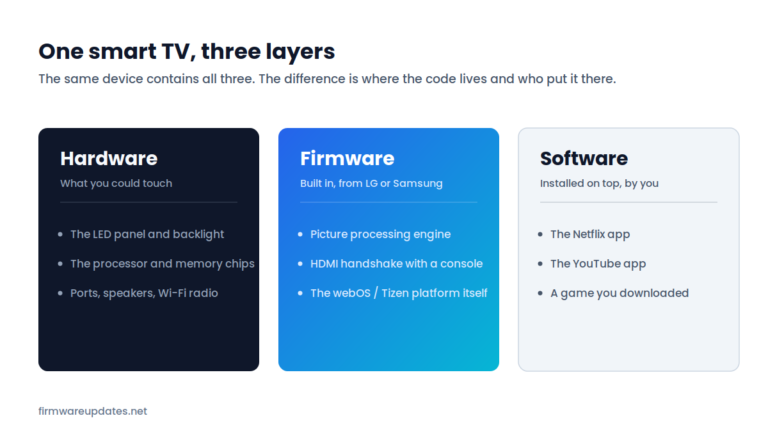
- Take the smart part out of the equation. An old smart TV with a dying app platform is still an excellent screen. Plug in a current streaming stick, use the TV as a display, and the ageing software stops mattering — you get updated apps for the price of a small accessory rather than a new television.
- Put it on a guest network. Most routers can run a separate guest network; an unsupported device on it cannot reach your computers and phones.
- Turn off remote access. On anything with a remote-access or cloud feature you do not use — routers, cameras, network storage — disable it. Most real-world attacks arrive that way.
- Take it off the internet entirely if it does not need to be there. A printer that only prints from your own network does not need to reach the wider internet at all.
3. Replace it
Worth doing when the device is your network’s front door, or when it has stopped doing the job. In practice that means: an unsupported router, a device holding sensitive data that is reachable from outside, or a TV where the apps you actually use no longer run and an external stick cannot fix it.
Do not let “unsupported” become a sales pitch
End of support is frequently used to sell replacements for hardware that is working perfectly well. A four-year-old TV that no longer gets firmware is not a broken TV. Before replacing anything, ask what specifically has stopped working for you — and whether a streaming stick, a guest network, or simply doing nothing solves it. Often it does.
Frequently asked questions
Related: what is firmware? · is it safe to update firmware? · check your firmware version. All of our explainers live in Firmware Basics.